Menu bar + Quick Clean
Free space at a glance, and one click to clear what's safe to clear.
The Mac cleaner for developers
DevCleanup finds what node_modules, simulators, toolchains, Docker, AI models and agent worktrees leave on your Mac, and shows the space you'd actually get back.
Free to scan · macOS 14+ · Apple silicon & Intel
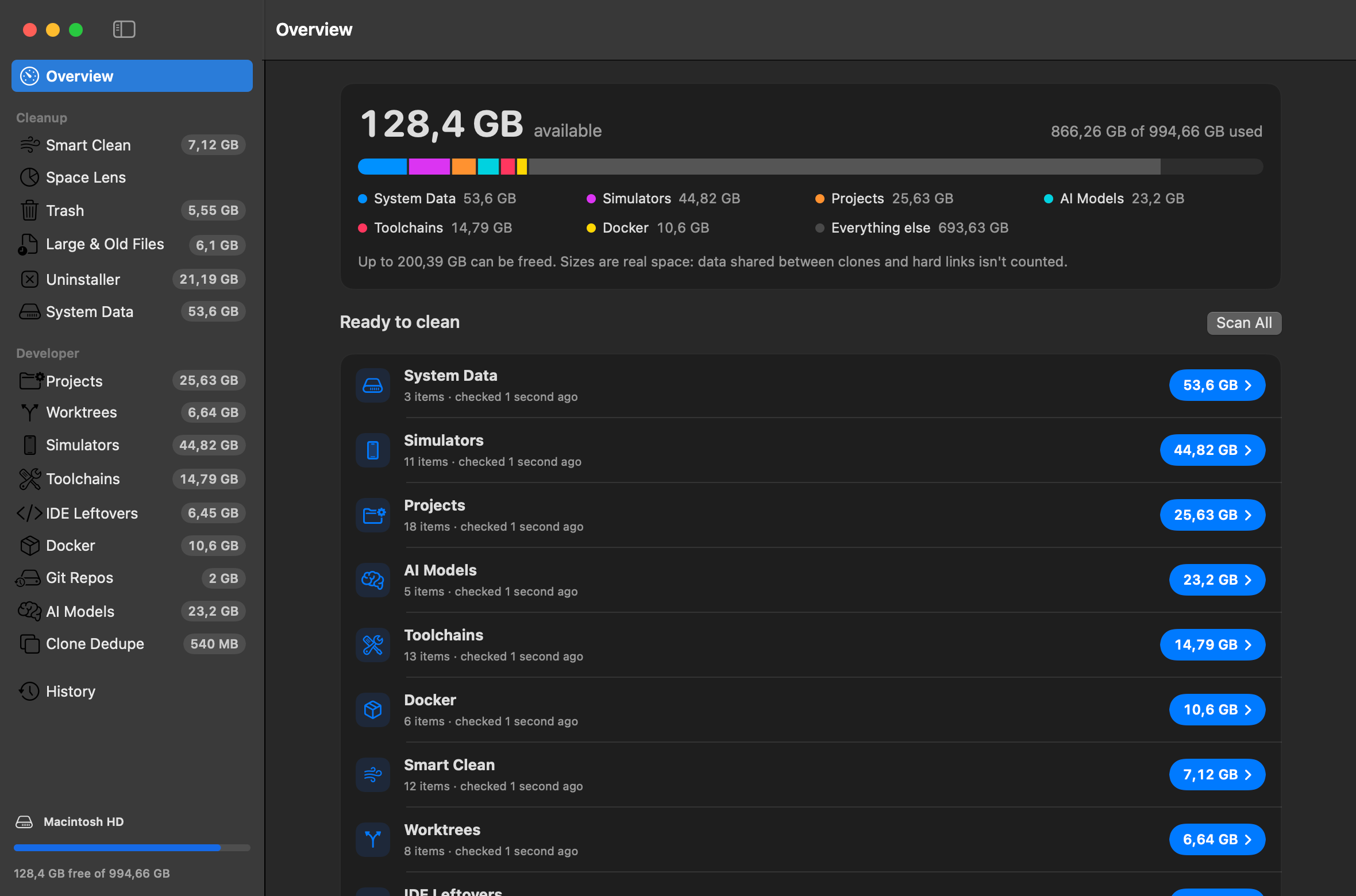
Can be freed on this Mac
real space, clones counted once
Worktrees
Each agent run checks out a full copy of your repo, often with its own node_modules and build output. On the founder's Mac, the agents' worktrees looked like this:
of apparent size across git worktrees, before DevCleanup counted what was really on disk.
git worktree remove.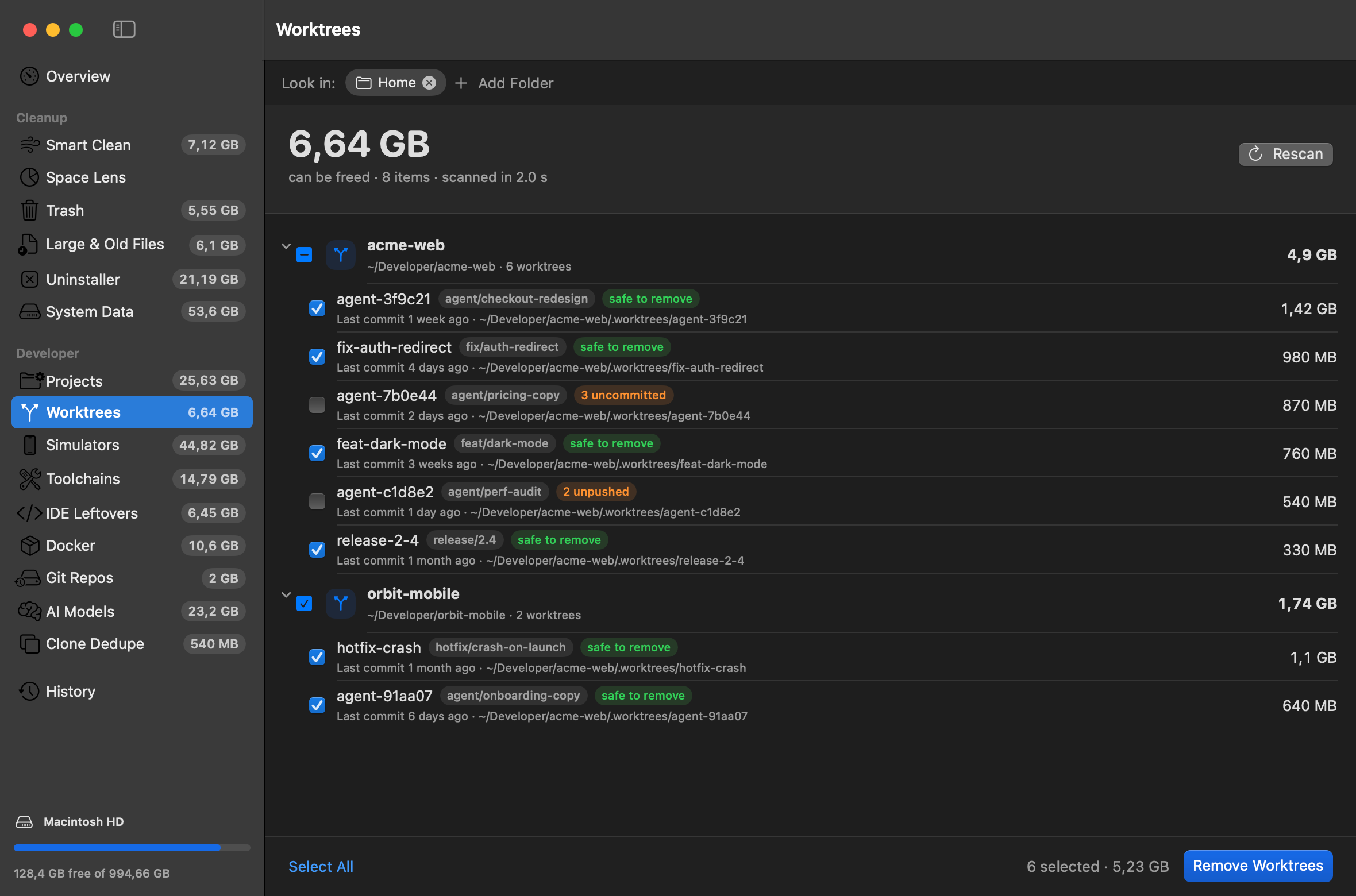
The tour
Each screen scans in one to five seconds and only selects things that can be rebuilt or re-downloaded.
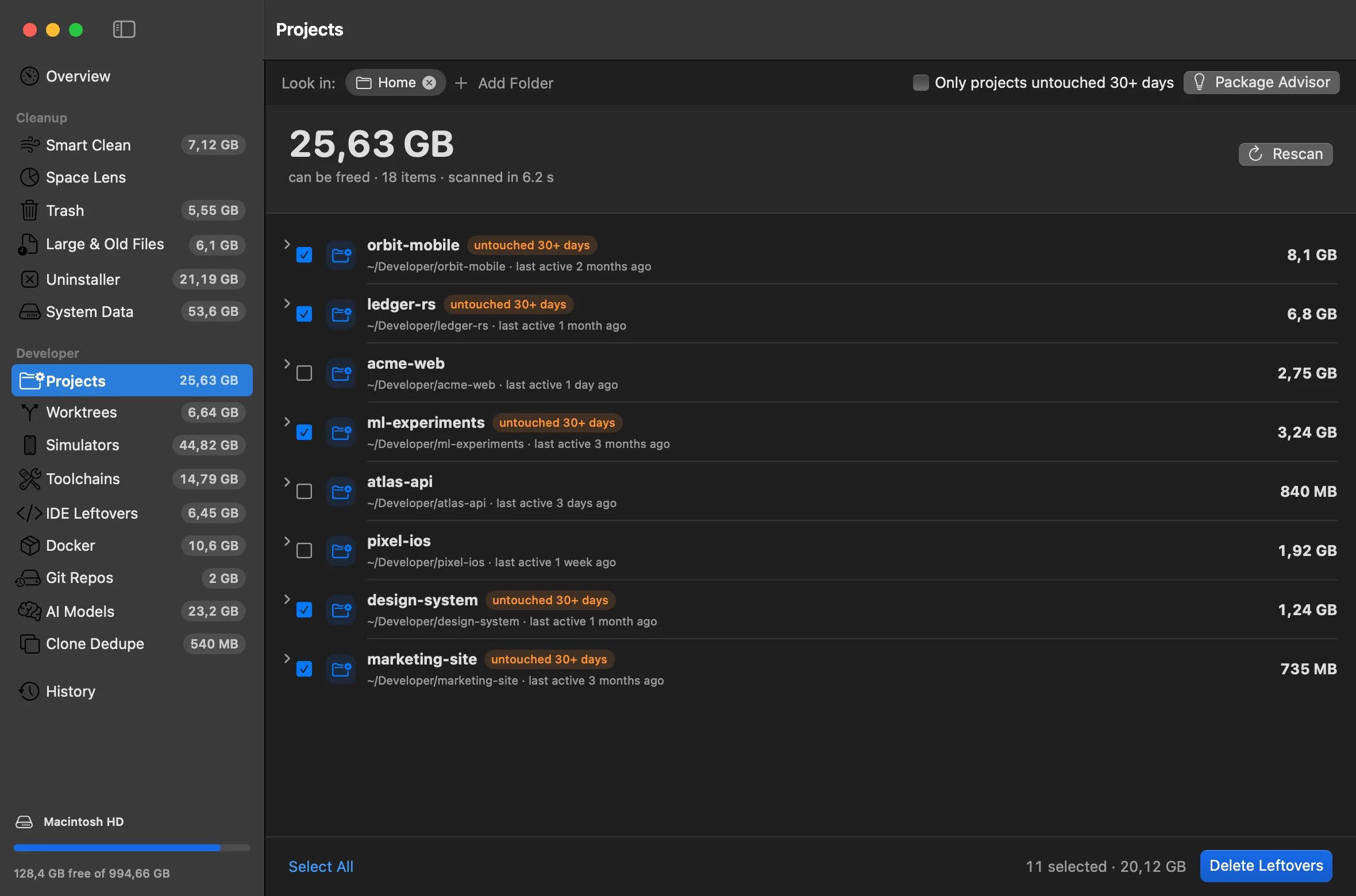
node_modules, build folders, Pods, Rust target, .venv, .next and .turbo caches, Unity and Godot caches. Projects untouched for 30+ days are flagged, and Package Advisor estimates what switching to pnpm would save.
And the rest of your Mac
Free space at a glance, and one click to clear what's safe to clear.
Pick what to clean and how often. DevCleanup handles it in the background and logs every run.
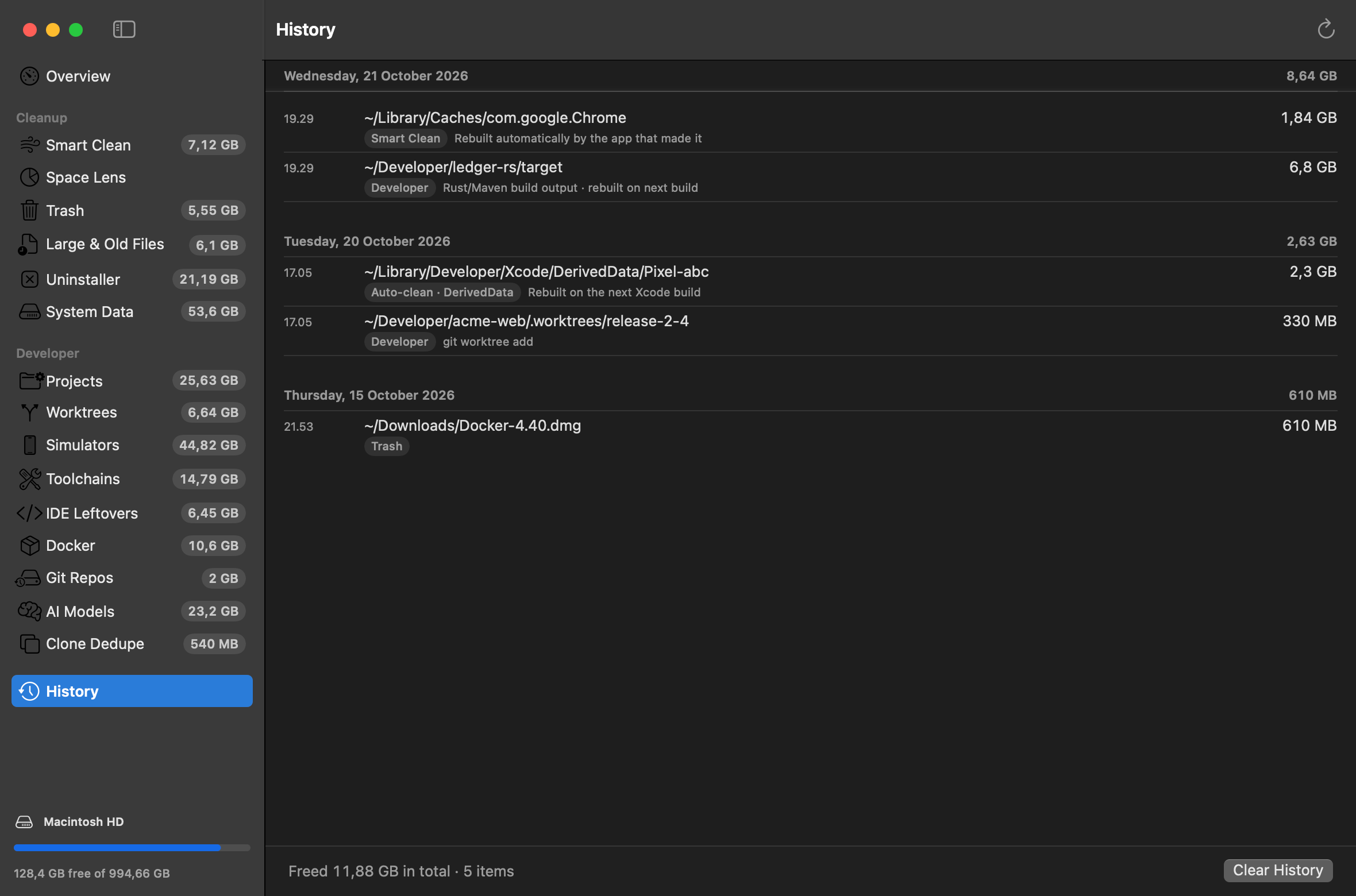
Every cleanup is logged, with how to get it back.
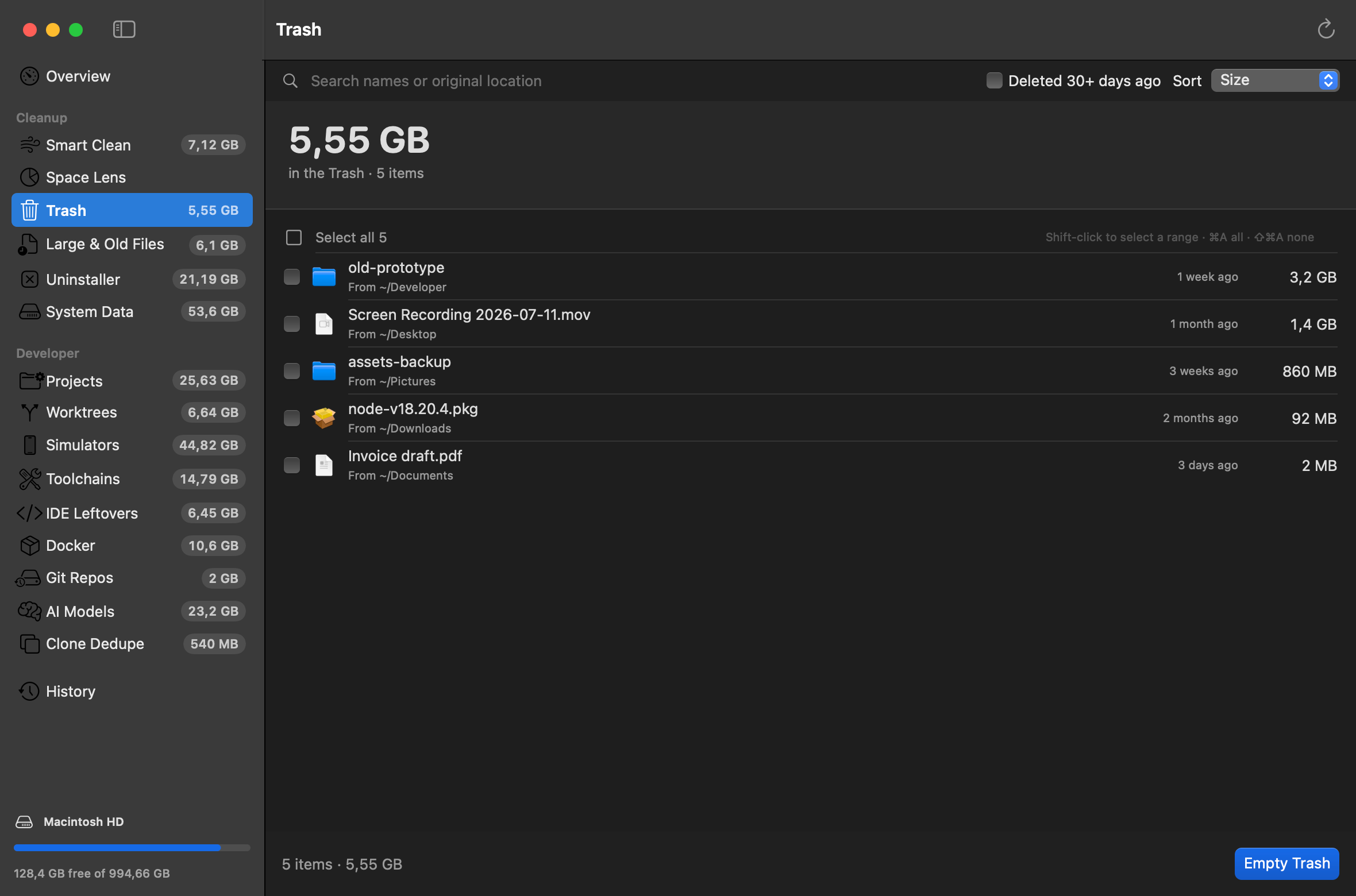
See what's in the Trash, fast. Put Back works.
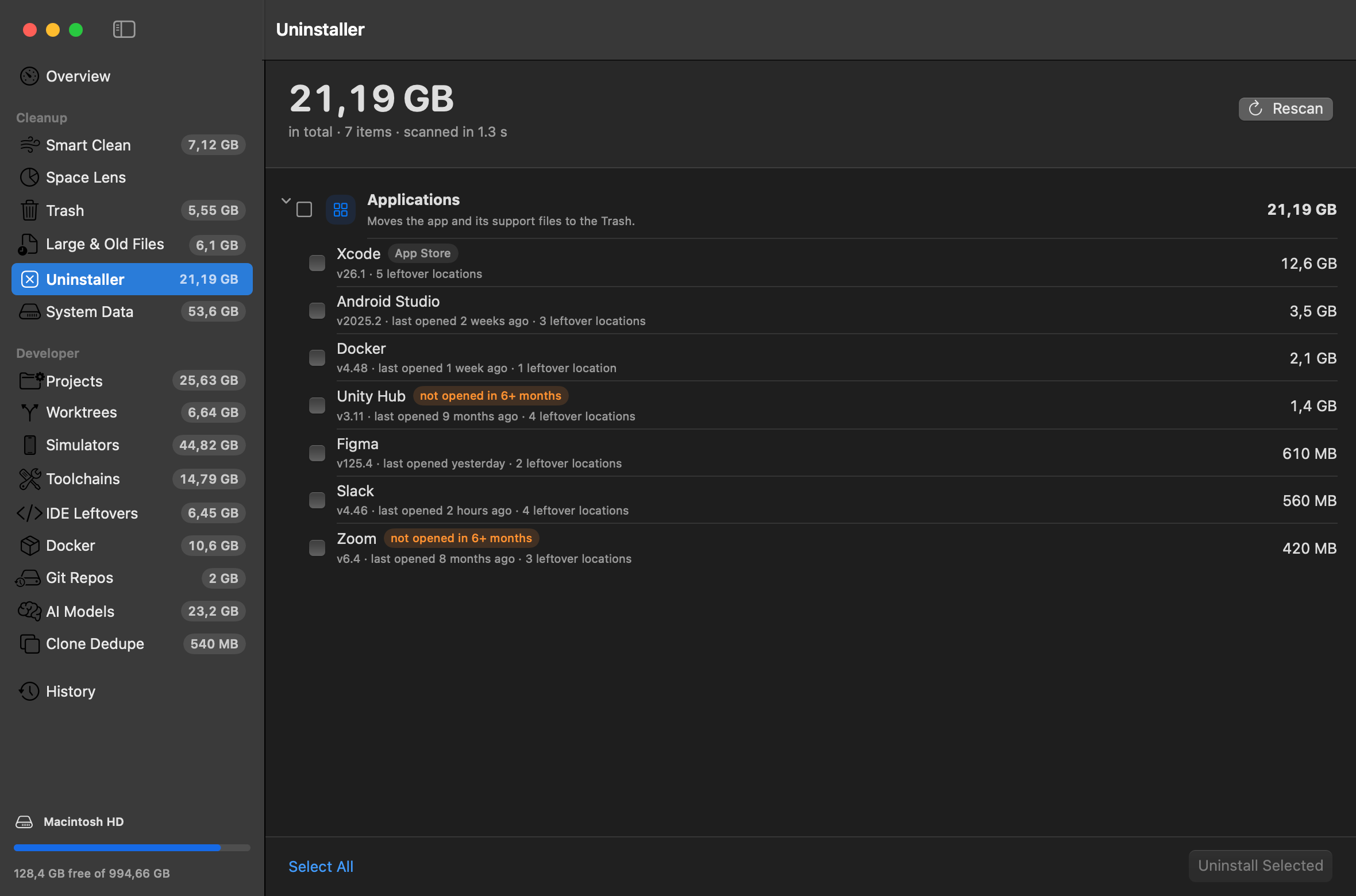
Remove apps along with the leftovers they scatter.
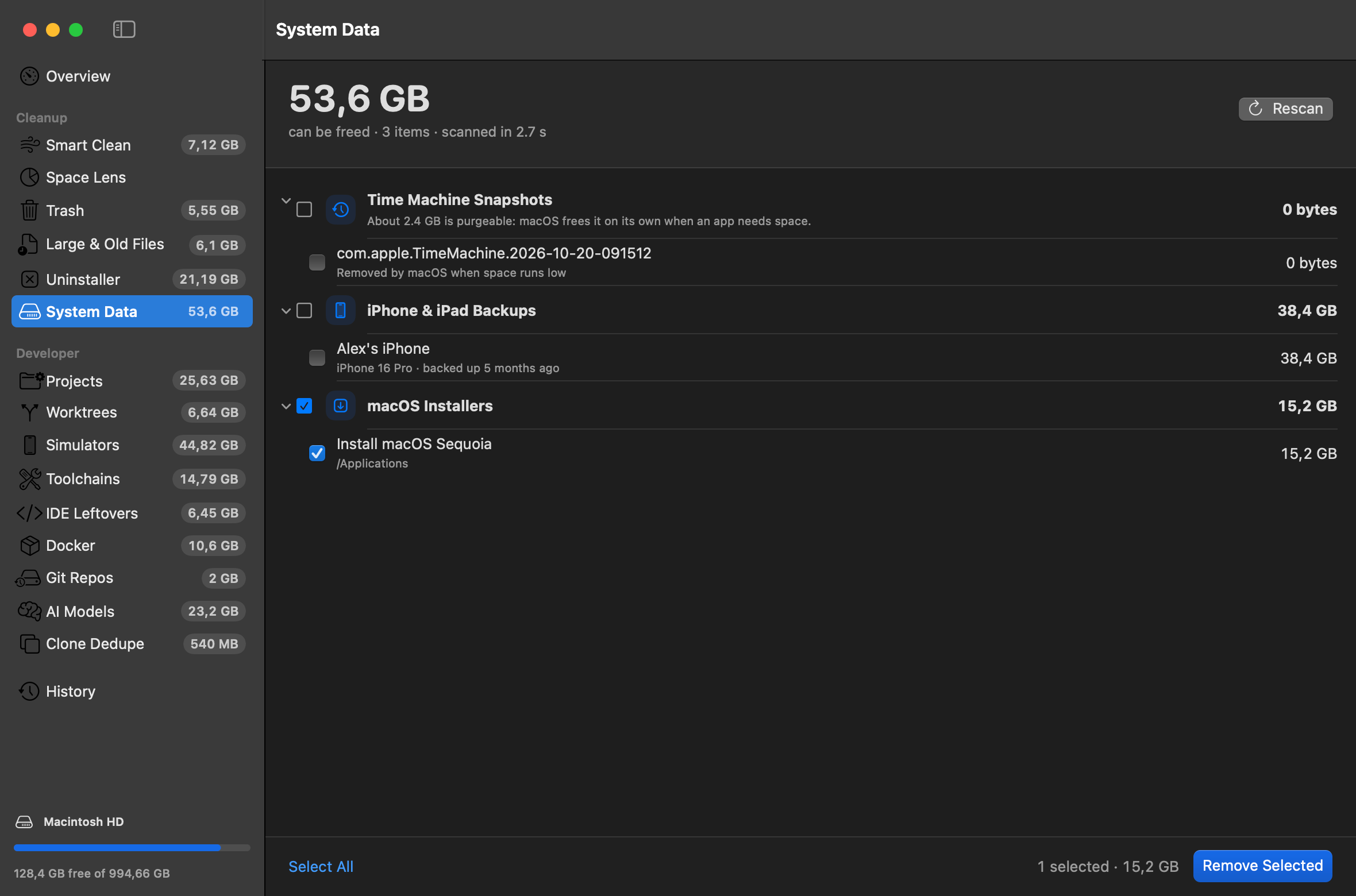
Local Time Machine snapshots and old iOS backups, the usual reasons "System Data" is huge.
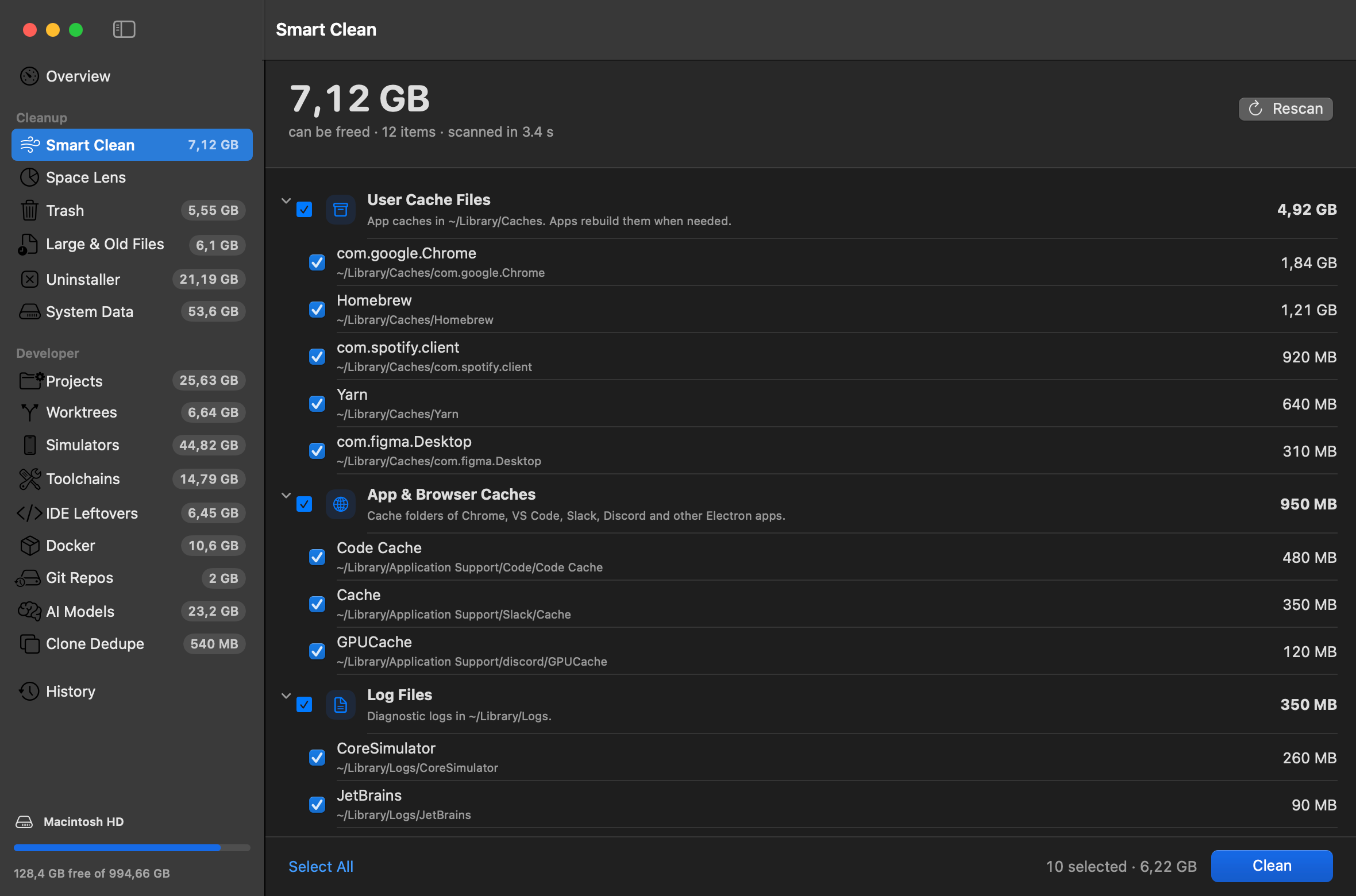
Caches and logs in one pass, plus the big files you forgot about.
Honest numbers
Most cleaners add up file sizes. On a developer Mac that double counts a lot, so they promise space you never get back.
A cloned file looks like a full copy to anything that adds up sizes, but deleting it frees almost nothing.
Every project links into one store. Count each project separately and you count the same package many times.
Sizes you see are what deleting would actually give back. The Overview total doesn't double count either.
Space you can free in agent worktrees
Illustrative: one repo, six worktrees, dependencies installed with pnpm. The 36.6 GB difference was never on your disk.
CLI & Raycast
The devcleanup command scans and reports from any shell or script. Pro adds the clean commands, with --dry-run on every one.
❯ devcleanup statusMacintosh HD 128.4 GB free of 994.7 GBCan be freed 200.4 GB (real space) Simulators 44.8 GB · Projects 25.6 GB · …❯ devcleanup scan ~~/Developer 182.4 GB~/Library 141.9 GBScanned 1,284,907 files in 3.8 s❯ devcleanup projects clean --selected --dry-runacme-web/node_modules 1.8 GBorbit-mobile/ios/Pods 940 MBledger-rs/target 2.3 GBDry run: would free 5.0 GB. Nothing deleted.❯ Privacy & safety
No analytics
Nothing about your files or usage leaves your Mac.
No account
Download it and use it. A license key is all Pro needs.
Offline by default
It connects only to activate a license, or for update checks if you opt in.
Rebuildable by default
Only things that can be rebuilt or re-downloaded are selected for you.
Never a git repo
Repos and worktrees with uncommitted or unpushed work are protected.
Everything in History
Each cleanup is logged with what was removed and how to restore it.
Pricing
No subscription. See exactly what you'd get back before spending anything.
$0
Find out where your space went.
$29once
License for the current major version.
Requires macOS 14+ · Apple silicon & Intel · Version 1.0.0
FAQ
It's the space deleting something would actually free. Data shared between APFS clones and hard links (pnpm's store, for example) is counted once, so the totals don't promise space you'd never get back.

Scanning is free. Most developer Macs have tens of gigabytes waiting.
Free to scan · macOS 14+ · Apple silicon & Intel